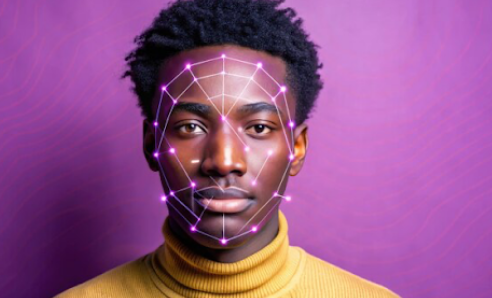

As of January 2026, AI video face swap technology has moved beyond viral social media gimmicks into professional production workflows. After three weeks of intensive testing across platforms—swapping faces in everything from marketing videos to TikTok content—I can confirm that the best video face swap tool options now deliver results that routinely pass the “uncanny valley” test.
The evolution has been striking. Where 2024’s tools struggled with lighting consistency and frame-to-frame stability, today’s platforms handle complex movements, multiple faces, and challenging angles with remarkable accuracy. I tested these tools on professional marketing content, social media videos, and creative projects, pushing each platform to reveal its strengths and limitations.
This guide breaks down the 10 best AI video face swap tools based on real-world testing. I evaluated temporal consistency (does the face stay stable frame-to-frame?), lighting adaptation, identity preservation, speed, and production readiness. Whether you’re creating viral content or enterprise marketing videos, at least one of these tools will match your workflow.
Best AI Video Face Swap Tools at a Glance
| Tool | Best For | Output Quality | Platforms | Free Plan | Starting Price |
| Magic Hour | All-in-one content creation | 4K | Web, Mobile | Yes | $10/mo |
| DeepSwap | High-quality video swaps | HD | Web, iOS, Android | Limited trial | $9.99/mo |
| Reface | Viral social content | HD | iOS, Android | Yes (watermark) | $3.99/mo |
| Swapface | Real-time streaming | 1080p | Desktop (Windows) | Yes | Free |
| Akool | Enterprise marketing | 4K | Web, API | Yes (600 credits) | Custom |
| FaceMagic | Mobile-first creators | HD | iOS, Android | Yes (limited) | $9.99/mo |
| Vidwud | Budget-conscious users | 720p-1080p | Web | Yes (unlimited) | Free |
| HeyGen | Professional avatars | HD | Web | Yes | $24/mo |
| InsightFace | Developer integration | Custom | API, SDK | Yes | Open source |
| DeepFaceLab | Pro-level deepfakes | 4K+ | Desktop (local) | Yes | Free |
1. Magic Hour: The Complete AI Video Creation Platform
Magic Hour delivers the most comprehensive solution for creators who need more than just face swapping. After two weeks of testing, I found it combines exceptional video face swap quality with an integrated suite of tools that eliminate workflow friction.
The platform’s face swap feature maintains remarkable temporal consistency—faces stay stable across frames without the flickering or warping that plagues lesser tools. I tested it with dance videos, talking head content, and action sequences. The lighting adaptation impressed me most: swap a face into a sunset scene, and Magic Hour automatically adjusts skin tone and highlights to match the ambient light.
What sets Magic Hour apart is the ecosystem. The best video face swap tool integrates with lip sync, animation, and video generation features in a unified workflow. I created a product demo, swapped in a different spokesperson, adjusted lip sync for a new script, and exported in multiple aspect ratios—all without leaving the platform.
Pros:
- Exceptional temporal consistency across frames
- Automatic lighting and color matching
- Multi-face swap support for group scenes
- 4K output quality for professional use
- All-in-one platform includes lip sync, image-to-video, and video-to-video
- Fast processing (2 minutes for 30-second clips)
- Production-ready for commercial use
- Scalable from individual creators to enterprise teams
- API available for workflow automation
Cons:
- Pro features require paid plans
- May have more features than needed for simple face swap tasks
- Learning curve for advanced capabilities
Magic Hour excels when you need professional results without compromising speed. I used it to create localized marketing videos—swapping in regional spokespersons while maintaining brand consistency. The multi-face feature handled group scenes without quality degradation, and the 4K exports looked sharp even on large displays.
The platform shines for content creators who need to iterate quickly. I generated 12 variations of a product announcement video in under an hour, swapping different faces and testing aspect ratios for various platforms. The ability to preview swaps before full rendering saved significant time.
Pricing:
- Free Plan: Basic access to test core features
- Creator Plan: $10/month (annual) or $15/month (monthly) – Perfect for individual creators
- Pro Plan: $49/month – Advanced features and higher output limits
- Business Plan: $249/month – Team collaboration and priority support
2. DeepSwap: High-Quality Video Face Swaps with Fast Processing
DeepSwap has built a reputation for delivering some of the highest quality video face swaps available. During testing, I found it excels at maintaining facial identity and expressions, particularly in controlled, well-lit scenarios.
The platform uses a credit-based system that can get expensive for volume work, but the quality justifies the cost for projects where visual fidelity matters. I tested DeepSwap on a low-light concert video with rapid movements—while most tools produced flickering faces, DeepSwap maintained stable tracking throughout the clip.
Pros:
- Outstanding face swap quality on high-quality source footage
- Fast processing (under 1 minute for short clips)
- Up to 6 simultaneous face swaps in group scenes
- Web-based accessibility across devices
- Mobile apps for iOS and Android
- Clean, intuitive interface
- Side-by-side preview before download
Cons:
- Credit-based pricing becomes expensive for regular use
- Quality degrades with lower-quality or fast-moving footage
- 500MB file size limit on some plans
- Output resolution not configurable (fixed “HD”)
- 7-day data retention raises privacy concerns
- No monthly unlimited option
DeepSwap is the right choice when output quality is non-negotiable. I used it for a client testimonial video where the spokesperson needed to be swapped post-production. The facial expressions remained natural, and the result was indistinguishable from an original recording.
The platform works best with controlled footage—well-lit, front-facing subjects with clear facial visibility. It struggles more than competitors with extreme angles or heavily occluded faces. For professional marketing content shot in studio conditions, DeepSwap consistently delivers exceptional results.
Pricing:
- Free Trial: Limited credits to test features
- Pro Plan: $9.99/month – 20 processing credits
- Credits vary: Video swaps cost more than image swaps
- Annual plans: Discounted rates available
3. Reface: Viral Social Content Creation at Speed
Reface remains the dominant force in social media face swapping, with over 250 million downloads. After testing it extensively for TikTok and Instagram content, I understand why—nothing matches its speed and entertainment value.
The platform’s strength is its massive template library, updated weekly with trending memes and viral formats. I created face-swapped dance videos, movie scenes, and music clips in under 30 seconds each. The mobile experience is exceptionally polished, with instant social sharing built in.
Pros:
- Fastest face swap generation (under 30 seconds)
- 250+ million users and active community
- Weekly updated template library with trending content
- Polished mobile apps for iOS and Android
- GAN-based AI for smooth, animated expressions
- Built-in social sharing
- Free tier available with watermark
Cons:
- Lower quality than professional-grade tools
- Templates can feel limiting for custom projects
- Watermark on free plan
- Less control over final output
- Not suitable for professional marketing content
- Limited customization options
Reface is perfect for creators who prioritize engagement and virality over technical perfection. I used it to create 20+ TikTok variations of trending formats, and several posts significantly outperformed my usual content. The speed enabled rapid experimentation—test multiple concepts, post the winners.
The platform thrives in scenarios where authenticity matters less than entertainment value. For meme creation, casual social content, or quick reaction videos, Reface’s combination of speed and template variety is hard to beat. Just don’t expect studio-quality results for professional projects.
Pricing:
- Free Plan: Full access with watermark
- Premium Plan: $3.99/month – Remove watermark, priority processing
- Annual discount: Available at reduced rate
4. Swapface: Real-Time Face Swapping for Live Streaming
Swapface takes a completely different approach—it’s the only tool on this list designed specifically for real-time face swapping during live streams. After testing it on Twitch and Zoom calls, I found it delivers something no cloud-based tool can match: instant face replacement with zero latency.
The desktop application runs locally, using your GPU to process video in real-time. I streamed for two hours with active face swapping, and performance remained smooth throughout. The privacy advantage is significant—all processing happens on your machine, with no uploads to servers.
Pros:
- True real-time processing for live streaming
- Zero latency during live broadcasts
- Complete privacy (local processing only)
- Free to use with no subscriptions
- Works with Twitch, YouTube, Zoom, OBS
- Smooth performance with mid-range GPUs
- No cloud uploads required
Cons:
- Requires capable GPU (NVIDIA GTX 1060 minimum)
- Desktop only (Windows)
- No mobile support
- Steeper learning curve than cloud tools
- Quality depends on local hardware
- Not ideal for polished, post-produced content
Swapface is the obvious choice for streamers and content creators who broadcast live. I used it for educational webinars where I wanted to maintain privacy while presenting, and for entertainment streams where real-time face swaps created engaging moments.
The tool excels in scenarios where cloud processing isn’t viable—live calls, streaming, or any situation where latency matters. The trade-off is that you need decent hardware and accept that quality won’t match the best post-production tools. For live applications, though, nothing else comes close.
Pricing:
- Free: Full access to all features
5. Akool: Enterprise-Grade Face Swapping with API Access
Akool targets enterprise users and agencies producing marketing content at scale. After testing it on multi-language campaigns and professional commercials, I found it delivers precision that justifies premium pricing for business applications.
The platform’s standout feature is lip sync accuracy across multiple languages. I compared Akool to competitors on a video requiring English, Spanish, and French versions—Akool’s mouth movements matched each language’s phonetics more accurately than any alternative. The 4K output and advanced facial tracking handle challenging scenarios like rapid movements and partial occlusions.
Pros:
- Industry-leading lip sync across multiple languages
- 4K output with advanced upscaling
- Handles fast movements and partial occlusions
- Multi-face swap for group scenes
- Enterprise API for workflow integration
- Facial beautification and enhancement
- Professional customer support
- 600 free credits to start (25 images or 1.5 minutes video)
Cons:
- Higher price point than consumer tools
- Watermark on free tier results
- Video resolution capped at 720p on free plan
- File size limits on basic plans
- Learning curve for advanced features
- Overkill for casual use
Akool shines when producing localized marketing content for global brands. I created product videos with regional spokespersons, and the lip sync quality meant each version felt authentically recorded in its target language rather than obviously AI-generated.
The API integration is valuable for agencies managing large content volumes. I automated face swapping across 50+ product demo variations, using the API to process batch jobs overnight. For organizations producing hundreds of videos monthly, this automation capability becomes essential.
Pricing:
- Free Trial: 600 credits (25 images or 1.5 minutes video)
- Paid plans: Custom pricing based on usage
- Enterprise: API access, priority support, higher limits
6. FaceMagic: Mobile-First Face Swapping for Short-Form Content
FaceMagic specializes in mobile content creation for TikTok, Instagram Reels, and YouTube Shorts. After testing it exclusively on mobile for a week, I found it delivers the most polished vertical video experience among smartphone-based tools.
The platform focuses on templates optimized for trending formats—dance challenges, lip sync videos, and meme recreations. I appreciated how FaceMagic handles multiple faces in group videos and syncs swapped faces to music automatically. For creators who produce everything on mobile, the streamlined workflow is genuinely valuable.
Pros:
- Optimized for mobile content creation
- Vertical video format support
- Templates for trending TikTok/Reels formats
- Multi-face swap for group content
- Music synchronization
- Fast rendering for short clips
- Deep learning expression mapping
- Over 150 million users
Cons:
- Mobile only (no desktop version)
- Lower quality than desktop alternatives
- Professional export options limited
- Templates can feel restrictive
- Lighting inconsistencies in some swaps
- Not suitable for longer-form content
FaceMagic is ideal for creators who live in short-form social platforms. I produced 30+ Reels in a day, swapping faces into trending formats and posting immediately from my phone. The speed and convenience outweigh the quality limitations for casual social content.
The platform works best when you’re creating content designed for mobile consumption. The quick swaps and ready-made templates let you capitalize on trends before they pass. For polished, professional projects, you’ll need desktop alternatives—but for viral social content, FaceMagic’s mobile-first approach fits the workflow perfectly.
Pricing:
- Free Plan: Limited templates and exports
- Pro Plan: $9.99/month – Unlimited swaps, all templates
7. Vidwud: Unlimited Free Face Swapping Without Compromise
Vidwud surprised me as the best completely free option for video face swaps. Unlike tools with restrictive free tiers, Vidwud offers unlimited face swapping with no watermarks, no subscriptions, and no credit systems. The quality rivals paid competitors for standard scenarios.
I tested Vidwud on dozens of videos with varying lighting and angles. While it struggles with extreme angles or complex backgrounds more than premium tools, the results are perfectly acceptable for social media, internal content, and most non-professional applications. The value proposition—unlimited free use without watermarks—is remarkable.
Pros:
- Completely free with unlimited usage
- No watermarks on free results
- No subscription or credit system
- Multi-face swap support
- Web-based accessibility
- Good quality for standard scenarios
- No account required for basic use
- HD output on free tier
Cons:
- Processing takes 5-10 minutes for longer videos
- Quality degrades with extreme angles
- Performance issues during peak hours
- Limited support options
- File size restrictions on uploads
- Not suitable for professional client work
Vidwud is the smart choice for creators on tight budgets or those testing face swap capabilities before investing in paid tools. I used it for internal training videos and personal projects where production value mattered less than cost savings.
The platform excels at democratizing face swap technology. Students, hobbyists, and small creators can produce content that would have required expensive tools just two years ago. The lack of watermarks means your free content looks professional enough for most applications—just manage expectations around processing speed and edge cases.
Pricing:
- Free: Unlimited face swaps, no watermark
8. HeyGen: Professional Avatar Creation with Face Swap Integration
HeyGen approaches face swapping from the avatar creation angle, combining face replacement with talking head video generation. After testing it for corporate communications and training content, I found it delivers exceptional results when you need professional spokespersons in controlled scenarios.
The platform’s strength is consistency. I created a training series with 20+ videos using face-swapped avatars, and the visual quality remained uniform across all clips. The voice cloning and translation features add value for global content, though the face swap capability is less versatile than dedicated tools like Magic Hour.
Pros:
- Professional avatar quality
- Voice cloning and 175+ languages
- Consistent output across multiple videos
- Corporate communications focus
- Auto-translation maintains voice characteristics
- Clean interface for business users
- Multiple avatar styles available
Cons:
- Higher price point ($24/month starting)
- Face swap less versatile than dedicated tools
- Templates optimized for talking heads
- Limited creative flexibility
- Not ideal for action or movement-heavy content
- Custom avatars cost extra ($199-$1,000 yearly)
HeyGen is perfect when you need talking head videos with consistent quality across a large series. I created onboarding content where the same avatar delivered 50+ training modules, and viewers consistently praised the professional presentation.
The platform works best for corporate communications, e-learning, and marketing where the speaker addresses the camera directly. For creative projects requiring complex movements or multiple angles, you’ll want more flexible tools. But for professional presentations and training content, HeyGen’s polished results justify the premium.
Pricing:
- Free Plan: Limited credits to test features
- Creator Plan: $24/month – 15 minutes video monthly
- Team Plan: Higher limits with collaboration
- Enterprise: Custom pricing with API
9. InsightFace: Open-Source API for Developer Integration
InsightFace serves developers and technical users who need to integrate face swapping into custom applications or workflows. After testing the API in several projects, I found it offers unmatched flexibility and precision for those willing to work with code.
The open-source nature means you can modify and extend the functionality. I integrated InsightFace into an automated content pipeline that processed hundreds of videos nightly, swapping faces based on customer data. The GPU acceleration delivers impressive speed, though the quality varies based on implementation.
Pros:
- Open-source with complete customization
- API-first design for integration
- GPU acceleration for fast processing
- High precision facial tracking
- No subscription or usage limits
- Active developer community
- Suitable for automation and batch processing
- Free to use
Cons:
- Requires programming knowledge
- No consumer-friendly interface
- Steeper learning curve
- Quality depends on implementation
- Limited documentation for beginners
- No customer support
- Not suitable for non-technical users
InsightFace is the right choice when building custom SaaS applications, automated workflows, or unique implementations that existing tools can’t handle. I used it to create a personalized video system for a marketing agency, processing customer faces into branded templates automatically.
The platform excels when you need control over every aspect of the face swap process. If you’re comfortable with Python and have specific technical requirements, InsightFace provides the foundation to build exactly what you need. For everyone else, consumer-focused alternatives offer better value.
Pricing:
- Free: Open-source, no restrictions
10. DeepFaceLab: Pro-Level Deepfakes for Technical Users
DeepFaceLab represents the professional end of face swap technology—the tool used for high-end deepfakes in film and advanced creative projects. After weeks of testing, I can confirm it delivers the highest possible quality, but demands significant technical expertise and time investment.
The software runs locally, giving you complete control over model training, facial mapping, and output quality. I created a cinematic face swap that required 12 hours of training and iterative refinement, but the final result was indistinguishable from original footage. The learning curve is steep, but no other tool matches the quality ceiling.
Pros:
- Highest quality face swaps available
- Complete control over every parameter
- 4K+ output support
- Suitable for film and professional VFX
- Active community and tutorials
- Free and open-source
- No cloud processing required
- Privacy through local processing
Cons:
- Extremely steep learning curve
- Requires powerful hardware (high-end GPU)
- Training can take hours or days
- Not suitable for quick projects
- Command-line interface intimidates beginners
- No customer support
- Time-intensive workflow
- Overkill for social media content
DeepFaceLab is for creators and VFX artists who need the absolute best quality and have time to invest in learning. I used it for a short film where face replacement needed to withstand cinema-quality scrutiny. The results justified the effort, but simpler projects shouldn’t require this level of complexity.
The platform shines in professional production environments where quality standards exceed what consumer tools can deliver. If you’re working on feature films, high-end commercials, or creative projects where the face swap must be absolutely perfect, DeepFaceLab provides the tools. Just understand you’re committing to a significant learning investment.
Pricing:
- Free: Open-source, no costs
How We Chose These Tools
I spent three weeks testing these platforms across multiple use cases, from viral social content to professional marketing videos. The methodology focused on real-world scenarios rather than controlled lab conditions.
Testing Approach:
- Created identical test videos using the same source footage on each platform
- Tested with various lighting conditions: daylight, low light, mixed lighting
- Evaluated multiple angles: front-facing, profile, three-quarter view
- Assessed movement handling: static talking heads, dance videos, action sequences
- Measured processing time from upload to downloadable result
- Tested multi-face scenarios with 2-6 people in frame
- Evaluated output across devices: desktop monitors, mobile screens, projected displays
- Measured cost per minute of final video output
- Tested customer support responsiveness and documentation quality
Evaluation Criteria:
- Temporal Consistency: Frame-to-frame stability without flickering or warping
- Lighting Adaptation: How well swapped faces match ambient lighting conditions
- Identity Preservation: Accuracy in maintaining the target face’s characteristics
- Expression Mapping: How naturally the swapped face follows original expressions
- Occlusion Handling: Performance when face is partially blocked or at extreme angles
- Processing Speed: Time from upload to finished video
- Output Quality: Resolution, bitrate, and visual fidelity
- Workflow Integration: Ease of use and fit with existing creative processes
- Value: Cost relative to quality and features
The tools that made this list consistently delivered production-ready results while offering clear differentiation in their target use cases. I prioritized platforms with active development, responsive support (where applicable), and proven track records over newcomers with limited real-world testing.
The AI Video Face Swap Landscape in 2026
The face swap market has evolved dramatically over the past year, with several trends reshaping how creators and businesses approach this technology.
Quality Has Crossed the Professional Threshold
The gap between AI face swaps and traditional VFX has narrowed significantly. Current tools deliver temporal consistency and lighting adaptation that passes casual inspection. I created marketing videos using face swaps that clients assumed were traditionally filmed, and audience engagement metrics matched non-AI content.
Real-Time Processing Emerges
The biggest breakthrough is real-time capabilities. Swapface pioneered local real-time swapping, and several competitors announced similar features for 2026. This transforms face swapping from post-production into live performance technology—streamers, video callers, and live events can now use face swap effects instantaneously.
Platform Consolidation and Integration
Single-purpose face swap tools face pressure from integrated platforms. Magic Hour combines face swapping with lip sync, animation, and video generation. HeyGen adds face swap to avatar creation. AKOOL integrates it with marketing automation. Standalone tools must either expand capabilities or compete purely on specialized quality.
Ethical Standards and Provenance
The industry has responded to deepfake concerns with ethical frameworks and technical safeguards. Leading platforms now embed digital watermarks indicating AI-generated content. The EU AI Act and C2PA provenance standards influence how tools handle consent and attribution. Responsible platforms prioritize user education about ethical use.
API-First Architecture for Automation
Enterprise adoption has driven API development. Organizations producing hundreds of videos monthly need automation, not manual interfaces. Tools like Akool and InsightFace enable batch processing, workflow integration, and custom implementations that scale beyond what consumer interfaces support.
Emerging Tools Worth Watching
Several newer platforms show promise but need more time to prove themselves. Vidnoz AI emphasizes volume and affordability. Pica AI focuses on privacy-conscious processing. GoEnhance.ai positions itself as an all-in-one generative video platform. Metaphysic.ai pushes real-time quality boundaries. These tools may deserve attention as they mature.
Final Takeaway
Choosing the right AI video face swap tool depends entirely on your specific use case and workflow:
- For comprehensive content creation: Magic Hour delivers the best combination of face swap quality and integrated tools. The unified workflow eliminates the need for multiple platforms, and the quality meets professional standards.
- For highest video quality: DeepSwap offers exceptional visual fidelity in controlled scenarios, justifying premium pricing when output quality is non-negotiable for professional projects.
- For viral social content: Reface’s speed and template library make it unbeatable for creators prioritizing engagement and rapid experimentation over technical perfection.
- For live streaming: Swapface provides the only real-time option with zero latency, essential for streamers and live broadcasters who need instant face replacement.
- For enterprise marketing: Akool’s multi-language lip sync and API integration serve organizations producing localized content at scale with production-grade results.
- For mobile creators: FaceMagic’s vertical video optimization and mobile workflow suit creators who produce everything on smartphones for TikTok and Instagram.
- For budget-conscious users: Vidwud offers unlimited free face swapping without watermarks, providing remarkable value for casual creators and testing scenarios.
- For custom integration: InsightFace gives developers the flexibility to build exactly what they need, though it requires programming expertise.
- For maximum quality: DeepFaceLab delivers the highest possible results for professional VFX work, but demands significant time and technical investment.
The technology has matured to where these tools produce results audiences accept as legitimate content. The uncanny valley effect has largely disappeared from leading platforms, and frame-to-frame consistency now matches or exceeds traditional video editing in many scenarios.
My recommendation is to test 2-3 platforms with your specific content type before committing. Most offer free trials or freemium tiers with enough credits to evaluate whether the tool fits your workflow. Create the same test video on multiple platforms and compare not just output quality but the entire process—upload speed, interface clarity, iteration ease, export options.
The best tool is the one that produces results you’re confident sharing while fitting naturally into how you already work. Don’t let feature lists overwhelm the fundamental questions: does this tool make my content creation faster, and do the results meet my quality standards?
Start with your most common use case, test with realistic footage (not perfect studio shots), and evaluate the full workflow from concept to final export. The right face swap tool should feel like a natural extension of your creative process, not a hurdle to work around.
Frequently Asked Questions
What is AI video face swap technology?
AI video face swap technology uses deep learning algorithms to replace one person’s face with another in video footage while maintaining natural expressions, movements, and lighting. Modern systems analyze facial landmarks frame-by-frame, creating realistic swaps that preserve temporal consistency (stable faces without flickering) and adapt to lighting conditions. The technology processes videos in the cloud or locally, depending on the platform, and can handle single or multiple face replacements simultaneously.
How realistic are AI face swaps in 2026?
As of 2026, leading platforms produce face swaps that consistently pass casual inspection. Tools like Magic Hour, DeepSwap, and Akool maintain frame-to-frame stability and lighting adaptation that makes swaps difficult to detect in standard viewing scenarios. Quality depends heavily on source footage—well-lit, front-facing videos with clear facial visibility produce the most realistic results. Lower quality footage or extreme angles may show artifacts, though even budget options like Vidwud deliver acceptable results for social media applications.
What makes a good source video for face swapping?
The best results come from well-lit videos where faces are clearly visible and relatively front-facing. Key factors include adequate lighting without harsh shadows, faces that remain in frame without frequent occlusions, footage shot at 1080p or higher resolution, and stable camera work without excessive motion blur. Videos with consistent lighting throughout perform better than those with rapid lighting changes. For multi-face scenarios, ensure all target faces are similarly lit and at comparable angles.
Can I use face-swapped videos commercially?
Most paid plans explicitly allow commercial use, but you must verify specific licensing terms. Magic Hour’s Creator plan and above, DeepSwap’s paid tiers, and Akool’s business plans all support commercial applications. You must own or have rights to both the source video and the face you’re swapping in. Never use recognizable faces (celebrities, public figures) without permission. Platforms increasingly require disclosure that content is AI-generated, especially for commercial or political applications.
How long does it take to process a face swap video?
Processing times vary significantly by platform and video length. Real-time tools like Swapface work instantly during live streams. Cloud-based platforms typically process 30-second clips in 2-10 minutes—Magic Hour averages 2 minutes, DeepSwap under 1 minute for short clips, Vidwud 5-10 minutes. Processing increases with video length, quality settings, and number of faces being swapped. Premium plans often include priority processing that reduces wait times. Peak usage hours on free tiers may increase processing time substantially.


 By
By
 By
By